








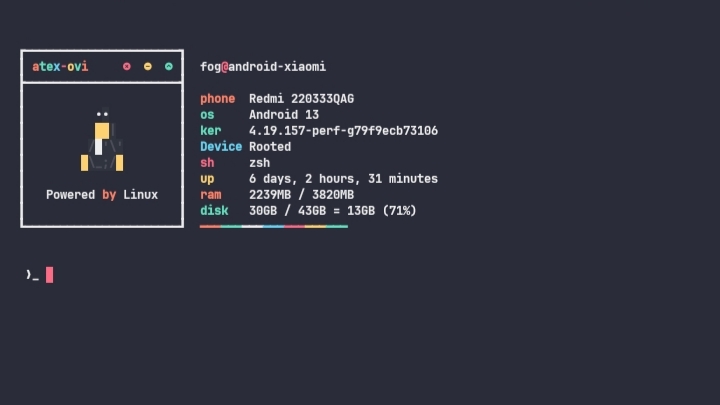
Atex Ovi Theme is a one-shot installer for Termux, providing a modern, colorful, and fully customized terminal UI experience. It includes a sleek ASCII banner, colored prompt, Zsh plugins, custom fonts, and a themed color palette.
1. Startup Display
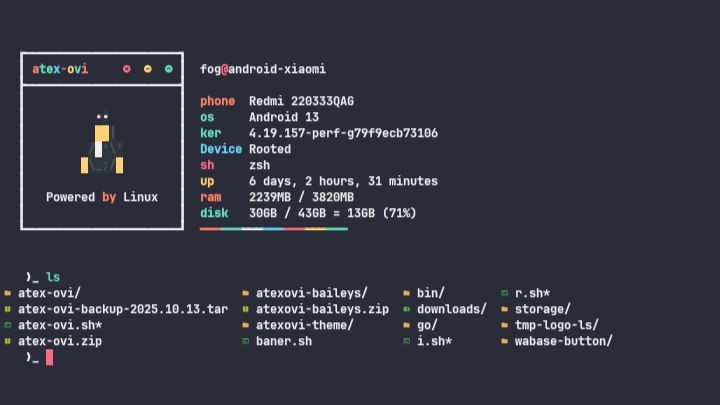
2. ls-logo
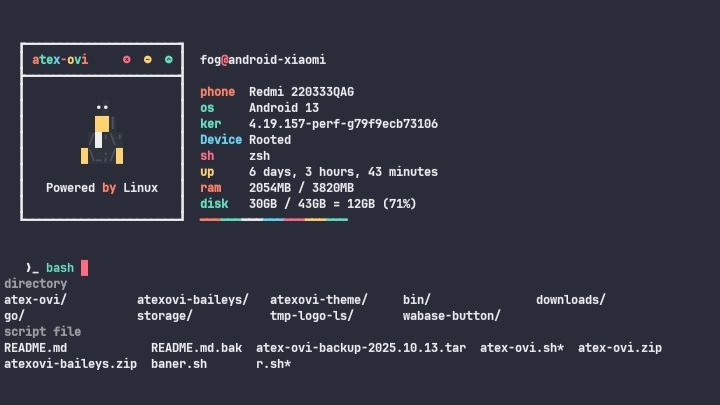
3. Auto Suggestion
- One-shot installation via
install.sh. - Fully customized Zsh prompt with colors and modern aesthetics.
- Auto-installation of core and extra utilities (bash, coreutils, curl, git, zsh, Go).
- Logo-ls integration for a modern
lsexperience. - Custom font and termux.properties configuration.
- Restore script (
restore.sh) to revert Termux to its default state. - Progress bar animations during installation.
Clone the repository and run the installer:
git clone https://github.com/atex-ovi/atexovi-theme.git
cd atexovi-theme
bash install.sh
Tip
It is recommended to run this on a fresh Termux installation.
Note
If you want to revert to the original Termux setup, run:
bash ~/restore.sh- zsh-syntax-highlighting
- zsh-fzf-history-search
- zsh-autosuggestions
- zsh-autocomplete
- bgnotify
Note
These plugins are automatically installed by install.sh
- mayTermux – as inspiration for the look and UI.
- Termux – Android terminal platform.
- Bash – shell scripting.
- Zsh – modern shell for prompt customization.
- Go – programming language for additional tools.
- All open-source communities are supportive.
If you find this project useful, consider supporting the development:

