Spring Security 权限控制可以配合授权注解使用,具体有哪些注解可以参考 Spring-Security 保护方法。接着上一节,要开启这些注解,只需要在 Spring Security 配置文件中添加如下注解:
@Configuration
@EnableGlobalMethodSecurity(prePostEnabled = true)
public class BrowserSecurityConfig extends WebSecurityConfigurerAdapter {
...
}
在 UserDetailService 中,我们给当前登录用户授予了”admin”的权限,我们将这块代码改造一下:当登录用户为 mrbird 的时候,其拥有”admin”权限,其他用户则只有”test”权限:
@Configuration
public class UserDetailService implements UserDetailsService {
@Autowired
private PasswordEncoder passwordEncoder;

    @Override
    public UserDetails loadUserByUsername(String username) throws UsernameNotFoundException {
        // 模拟一个用户,替代数据库获取逻辑
        MyUser user = new MyUser();
        user.setUserName(username);
        user.setPassword(this.passwordEncoder.encode("123456"));
        // 输出加密后的密码
        System.out.println(user.getPassword());

        List<GrantedAuthority> authorities = new ArrayList<>();
        if (StringUtils.equalsIgnoreCase("mrbird", username)) {
            authorities = AuthorityUtils.commaSeparatedStringToAuthorityList("admin");
        } else {
            authorities = AuthorityUtils.commaSeparatedStringToAuthorityList("test");
        }
        return new User(username, user.getPassword(), user.isEnabled(),
                user.isAccountNonExpired(), user.isCredentialsNonExpired(),
                user.isAccountNonLocked(), authorities);
    }

}
添加一个方法,并且使用权限注解标明只有拥有“admin”权限的人才能访问:
@GetMapping("/auth/admin")
@PreAuthorize("hasAuthority('admin')")
public String authenticationTest() {
return "您拥有 admin 权限,可以查看";
}
启动系统,使用 mrbird 账号登录:
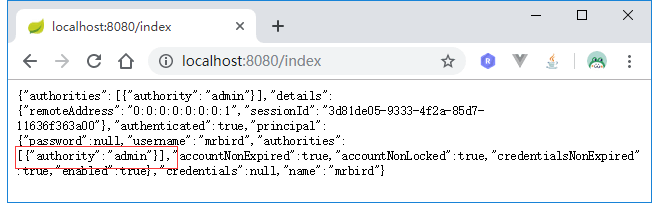
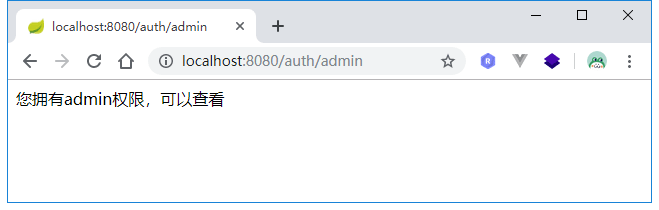
可看到,mrbird 可以访问该资源。
使用 scott 账号登录:
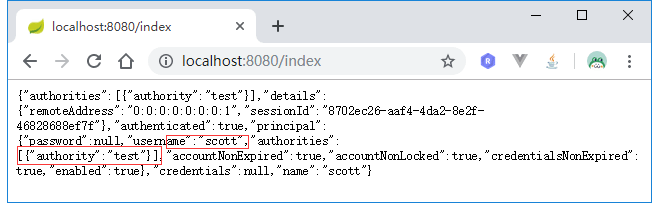
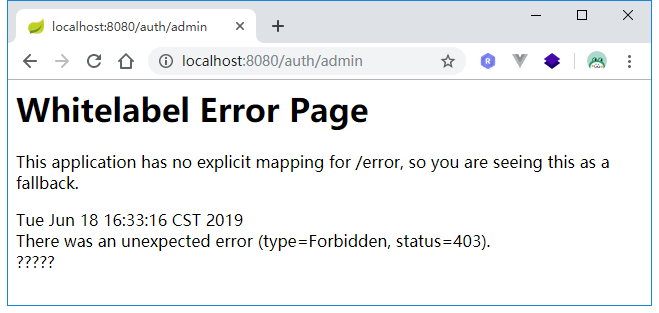
可以看到,soctt 没有权限访问,返回 403 错误码。
我们可以自定义权限不足处理器来处理权限不足时候的操作。
新增一个处理器 MyAuthenticationAccessDeniedHandler,实现 AccessDeniedHandler 接口:
@Component
public class MyAuthenticationAccessDeniedHandler implements AccessDeniedHandler {

    @Override
    public void handle(HttpServletRequest request, HttpServletResponse response, AccessDeniedException accessDeniedException) throws IOException {
        response.setStatus(HttpStatus.INTERNAL_SERVER_ERROR.value());
        response.setContentType("application/json;charset=utf-8");
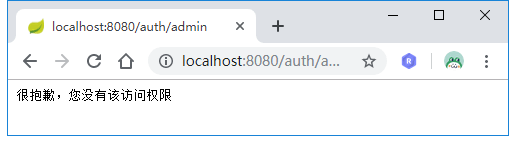
        response.getWriter().write("很抱歉,您没有该访问权限");
    }

}
然后将这个处理器添加到 Spring Security 配置链中: @Autowired private MyAuthenticationAccessDeniedHandler authenticationAccessDeniedHandler;
@Override
protected void configure(HttpSecurity http) throws Exception {
http.exceptionHandling()
.accessDeniedHandler(authenticationAccessDeniedHandler)
.and()
......
}
重启系统,再次使用 scott 账号访问/auth/admin: